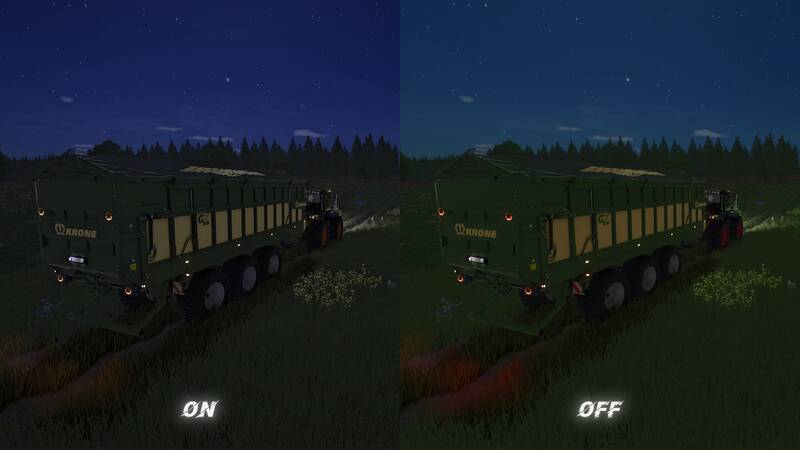
Shader Gloomy HDR
Enhance your Farming Simulator experience with the Gloomy HDR shader preset. This preset is designed for ultra-graphics settings, offering improved brightness and sharpness for a more immersive gaming experience.
My Settings:
- Brightness: 1.1
- Sharpness: 1.5
Installation Instructions:
1. Place the Gloomy HDR Preset file in the directory: Farming Simulator 25 \ X64.
2. Replace the Environment.xml file in the directory: Farming Simulator 25 \ Data \ Maps. Choose the folder corresponding to your map (Mapas, Mapeu, Mapus) and replace the Config folder. Important: Make a backup of the original file before proceeding.
For Mod Maps:
If you're using a mod map, locate the Config folder in the map archive and replace the file there instead of modifying the game files.
Important Notes:
- To ensure the preset works correctly, delete the Environment.xml file in your save folder to reset the environment settings.
- After loading the game, visit the store menu (press 'P'), navigate to any section, and exit. This step is necessary to apply the new environmental settings.
If you have any questions or encounter issues, feel free to leave a comment. Enjoy the game! ツ
Comments
You must be logged in to comment.
No comments yet.