1 / 4
Virus checked
v1.0 latest
Free Mod
Photorealistic Reshade by luxor8071 v1.0 (1.36.x)
–
Rating
0 Ratings
185
Downloads
3.7K
Views
0
Thanks
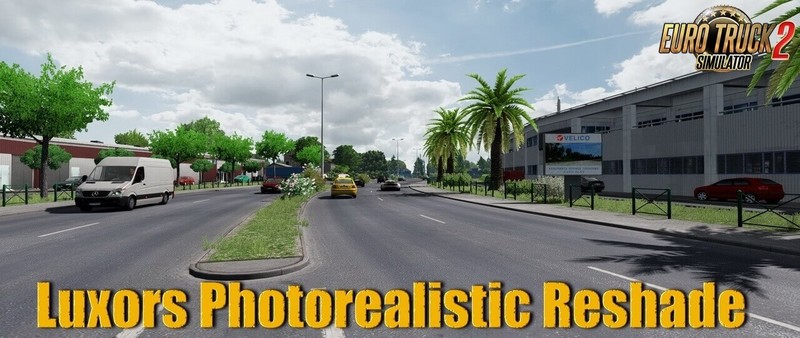
Luxors Photorealistic Reshade - makes your Euro Truck Simulator 2 a real Beauty and more realistic.
Features mod Luxors Photorealistic Reshade:
- Color Correction, which makes Environment and Sky realistic looking.
- Brownish Colour on Roads and Buildings removed and corrected for more realism.
- Better AA and Sharpening Filter for great Images.
Required Mods:
- ProjectNG 2.0 - Textures [Base]
- ProjectNG 1.8 - Weather beta 2.01
Installation:
1. Download and install the latest version of the Reshade framework (click on "Direct3D 10/11/12"). Download all of the effects when asked to during the installation).
2. Download Luxor's Photorealistic Reshade for ETS 2 and move the contents of the folder into the directory that contains your eurotrucks2.exe (bin\win_x64). Overwrite when asked.
3. Start the Game, wait for the Shaders to load and press POS 1 to open the GUI.
4. Click "continue" and then on the upper right hand corner click in the "+" symbol.
5. Choose the Photorealistic Reshade Preset. You should now notice the Shaders activate.
Tested on game version 1.36.x
Comments
You must be logged in to comment.
No comments yet.