
Mod Configurator
V 1.1.0 mod for Aground
0
Downloads today
534
Downloads total
0
Comment Count
description
WARNING: Improper use of this mod can cause other mods to become disabled and progress lost if you mess up. If used properly, nothing should go wrong.
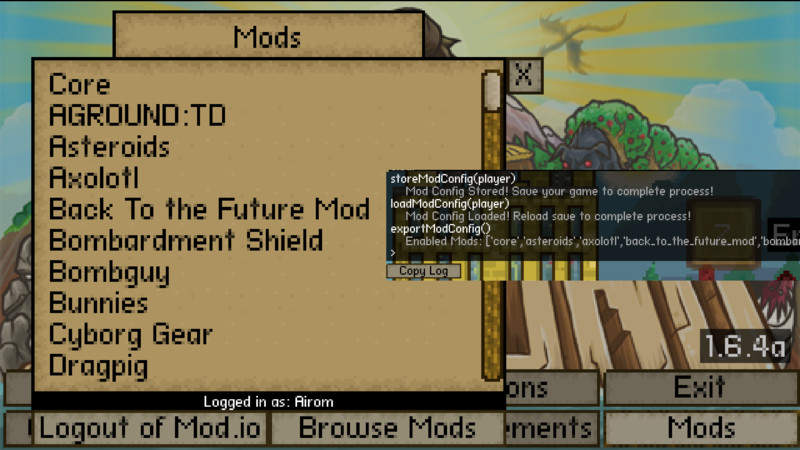
This mod allows you to save a configuration to each file for which mods you want on that file.
Instructions
- Choose which mods you want to be enabled in the main menu. You can use enableAllMods() and disableAllMods() to help you with this.
- Once you have the mods you want, open up a save.
- Open the dev console (Ctrl+Shift+D) and enter storeModConfig(player) and save your game. The config is now saved to the file.
- To reapply that config (you will need to do this if you change something) enter loadModConfig() in the dev console.
- You can also use smc(player), lmc(player), and saveModConfig(player) if you so choose.
If, for some reason, you want a list of all enabled mods, put exportModConfig() into the dev console.
If for some reason you have duplicate versions of a mod, the reloading may get messed up and only enable one, or sometimes it just aborts midway. To avoid this, make sure you only have one version of a mod.
Credits
-
27 Jul 01:14Version 1.1.0
[Bugfix] Stopped the mod from disabling itself
[Feature] Aliases for commands
Files

31.05 2019
V
1.1.0
27. 07 2020
534







0 Comments for Mod Configurator