Developer PowerTools
Developer PowerTools is a quality-of-life mod designed for modders, perfectly complementing tools like Power Tools, Easy Dev Controls, and Global Explorer.
Features:
- New console commands for game restarts.
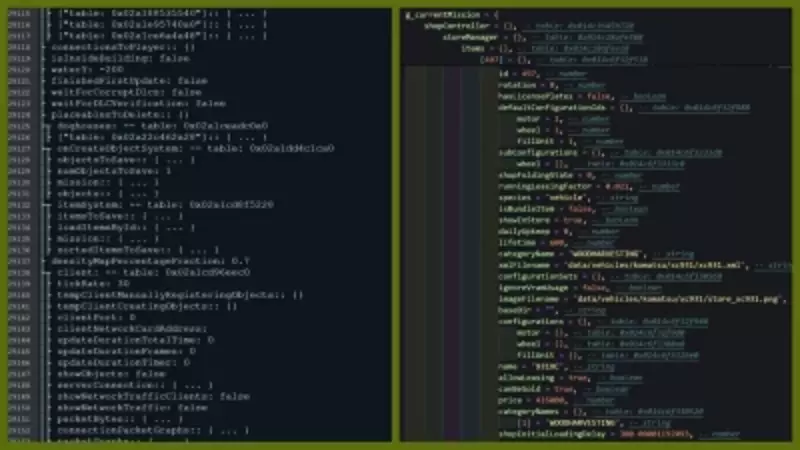
- Print Lua table contents to the console, log, or a separate file.
- Clear the log file with a single command.
- Save Lua tables to well-structured Lua files for advanced debugging and understanding of the FS object model.
Console Commands:
- dtRestart or r: Performs a soft restart of the game client.
- dtRestartHard or rr: Executes a hard reset to unload everything from memory.
- dtTable: Outputs Lua table contents to the console or log.
- dtSaveTable: Saves Lua table contents to a file, optimized for speed and efficiency.
- dtVisualizeTable: A beta feature for improved visualization of Lua tables.
- dtClearLog or cls: Clears the log file for a fresh start.
Important Notes:
- Restart commands do not prompt to save your progress—use with caution to avoid losing data.
- Automatic restart of the current savegame is temporarily disabled in FS25 due to new limitations.
Saving Tables:
The dtSaveTable command allows you to export Lua tables as well-structured Lua files, which can be used for debugging or in-game scripting. You can specify the depth of the output to manage memory and performance.
Example: Use dtSaveTable g_currentMission currentMission.lua 1 to save the g_currentMission table to a file named currentMission.lua, including only its direct descendants.
Printing Tables:
The dtTable command outputs Lua tables to the log for quick inspection. However, it is recommended for small tables or shallow structures to avoid memory issues. For deeper structures, use dtSaveTable instead.
Note: Saved Lua files are stored in My Games/FarmingSimulator2025/modSettings/FS22_000_DevTools.
Comments
You must be logged in to comment.
No comments yet.